
ERPNext UI/UX: Targeted Techniques That Improve Adoption
Author: Sumanth Prabhu
When rolling out an ERP system, most energy goes into functional requirements, process mapping, and data migration. However, ERPNext user experience (UX) often takes a back seat. Consultants who work in the product daily rarely feel the friction that a busy, non-technical end-user experiences while navigating the system—and ERP adoption suffers as a result.
The good news: there are several practical, often overlooked ways to make ERPNext genuinely easier to use. Here are four worth starting with.
1. Role-Based Access Control (RBAC), Done Right
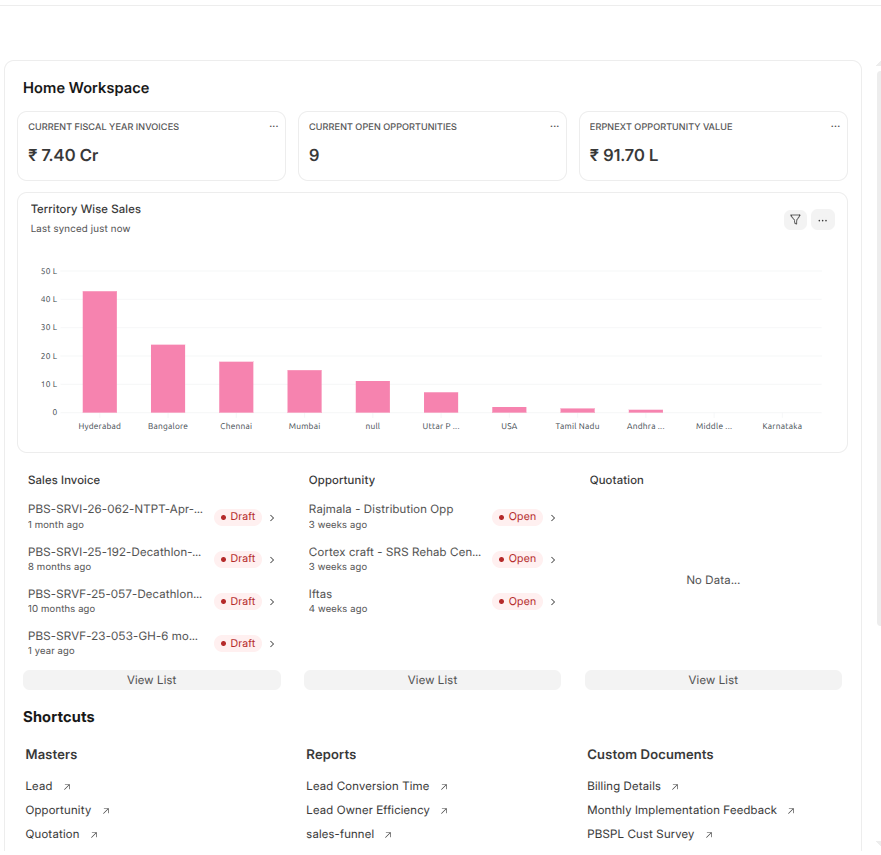
Restrict what each user sees to exactly what their role requires — both which pages, screens, and doctypes are visible, and which fields are visible when viewing or maintaining a record. Doctype Layouts are a simple way to give roles a restricted, relevant view of an entity. Pair this with role-specific Workspace — shortcuts, cards, charts, and lists — so each user’s homepage is built around what they actually do, not a generic system view.The image on the right is of a dashboard for a manager, showing some of the KPI, a visualization of regional spread, some of the draft txns that needs to be closed/approved and generally used shortcuts
2. Centralizing Data with Single Pane of Glass Dashboards
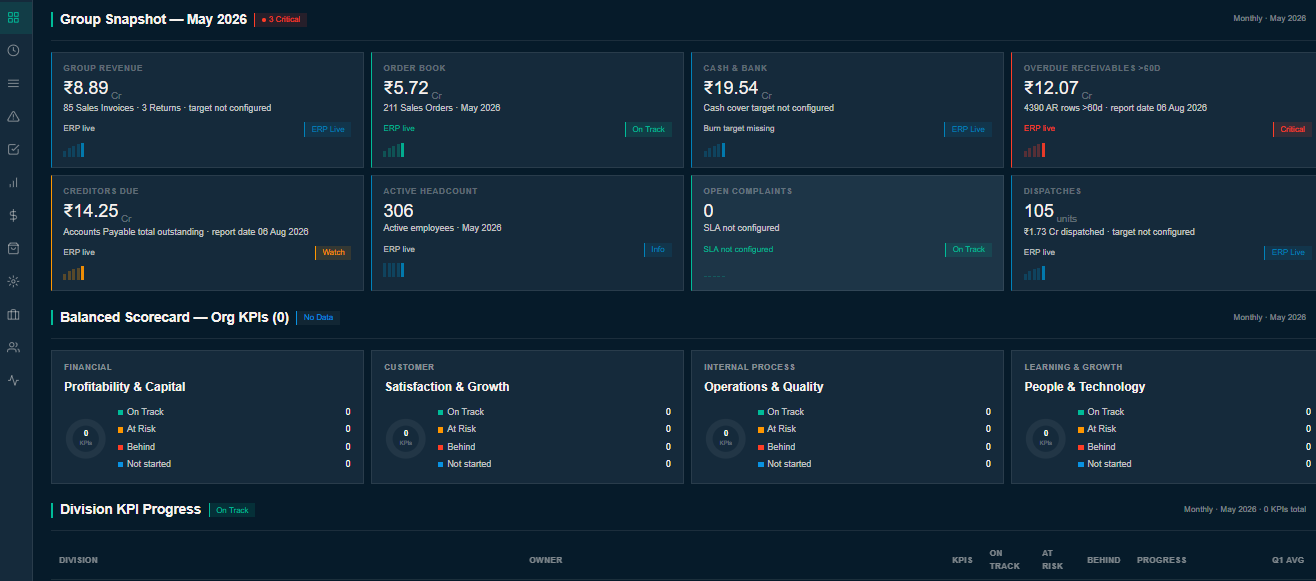
Users frequently need to pull together data from multiple sources to assess a situation and act. Dashboards give them a single, metric-based view across whatever dimensions matter to their function — no jumping between systems to piece the picture together. If some of that data lives outside ERPNext, Insights Dashboards can pull it in and be published directly within the ERP, so that single pane of glass holds up even when the underlying data doesn’t all live in one place. Here we have an example of a dashboard built as a web-page on ERPNext to customer’s exact requirement.
3. Designing Custom Pages in ERPNext
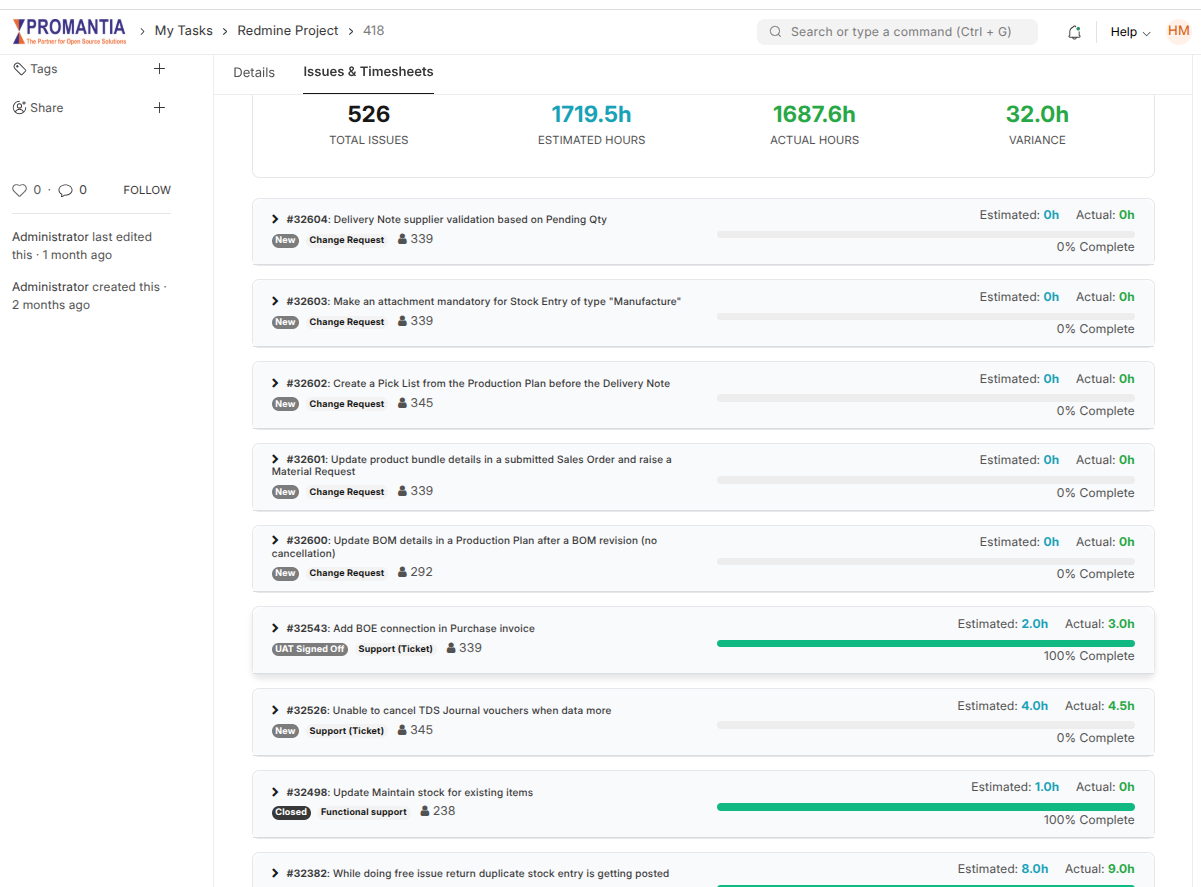
Custom pages let you design screens around the way your users actually work — built in JS/HTML, Vue.js, or React — pulling together data from multiple sources into views that map to the customer’s real business flow. If you want this at the doctype level rather than a standalone page, an HTML Control lets you render the same kind of custom view inside the doctype itself. The screen-shot attached is a HTML Control that provides a summary of the tasks against a project and includes actual effort from timesheet as well within the project as an additional tab.
4. Improving Partner Collaboration with External-Facing ERP Portals
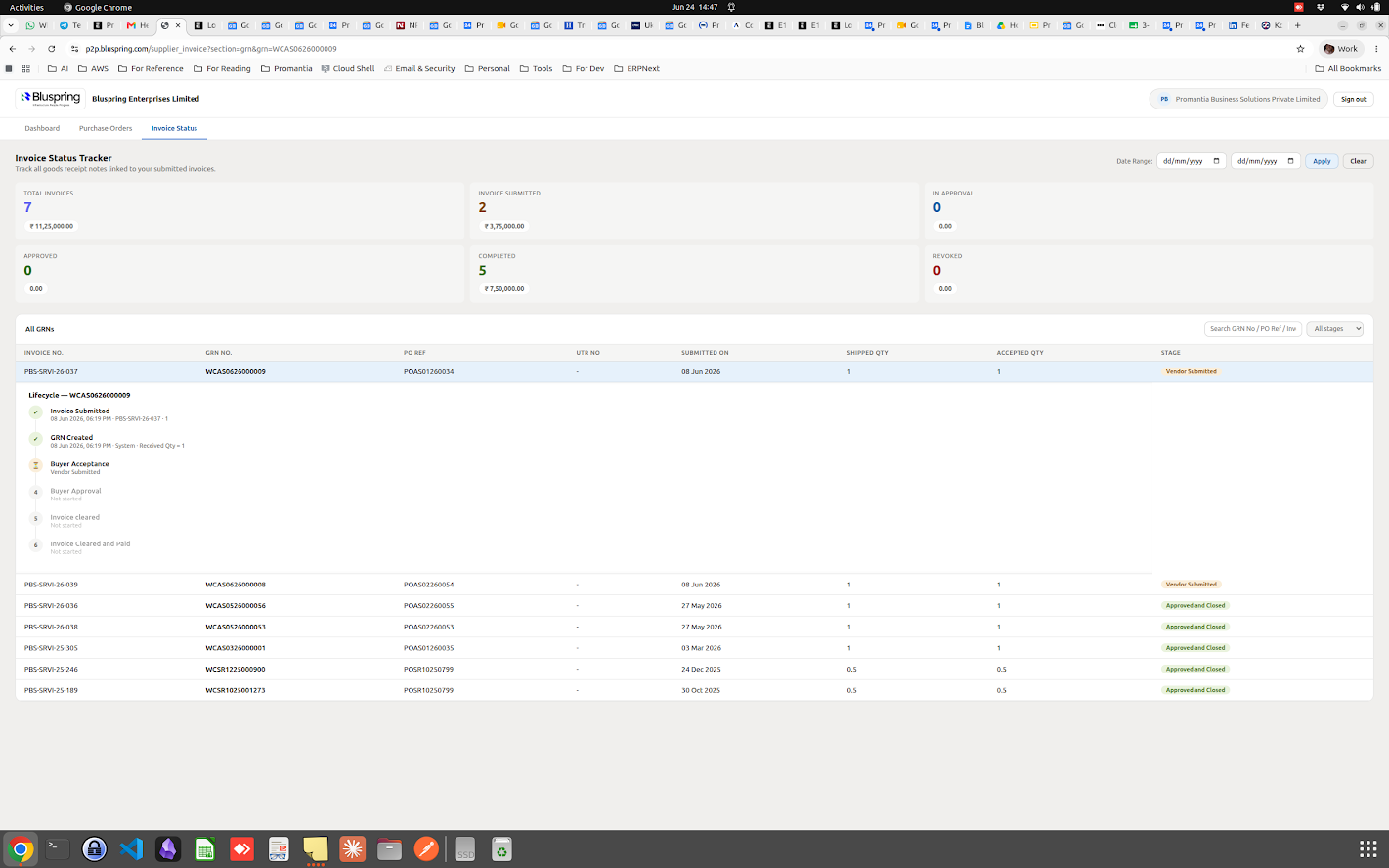
Extending the ERP to give partners — vendors or customers — self-service access is a standard way to ease communication and data flow across the supply chain. But for partners to actually use it, the experience needs to be simple and narrowly focused on the task at hand, so they can use it without training. One good approach: purpose-built websites designed around that single job. For example, we’ve built a site that lets suppliers submit invoices and track their progress through the company — nothing more, nothing less.
When the partner-facing functionality needs to go further, a satellite system is often the better fit: a separate application that owns the UI/UX (matching the customer’s brand standards) while feeding master data and transactions back into the core ERP. We built exactly this for a client — a dealer portal on React that pushes transactions into ERPNext for back-end processing, approvals, and downstream actions.
The Takeaway
None of these require a system overhaul — they’re targeted, achievable changes that meet users where they are. The ERPs that get adopted well aren’t necessarily the ones with the most features; they’re the ones that feel effortless to the people using them every day.
Ready to transform your ERPNext usability? Our team at Promantia specializes in UI/UX design and custom development to drive system adoption. Contact us at sales@promantia.com or reach out to Sumanth Prabhu at sumanth.prabhu@promantia.com to discuss your ERPNext rollout.